Make a podcast teaser from your episode's best soundbites, in one click
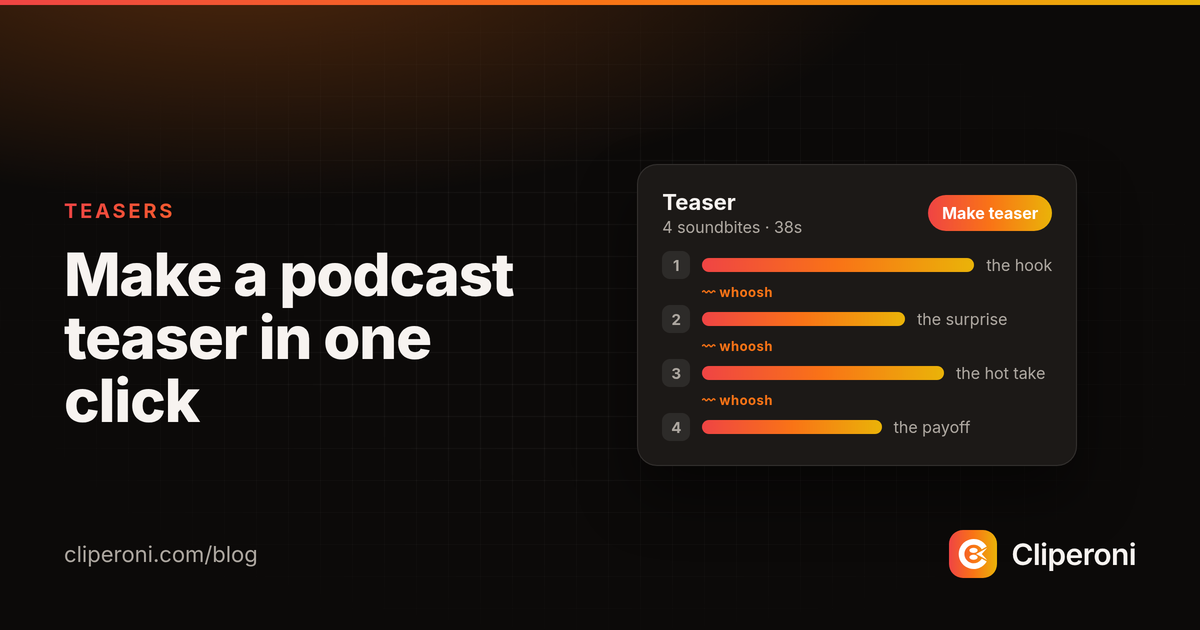
In short: A podcast teaser is a 30–60 second promo built from an episode's best soundbites. Cliperoni's Make teaser builds one in a click: it finds the punchiest line in each of your episode's top AI clips, puts the strongest hook first, and joins the lines with a whoosh on every cut. You can then reorder, trim, swap or add soundbites before you download or post it.
Key takeaways
- Make teaser turns one processed episode into a new 30–60 second teaser of 4–6 soundbites, each 4–10 seconds, strongest hook first.
- Cliperoni picks each soundbite from your top AI clips and snaps it to word boundaries, so no line starts or ends mid-word.
- The Segments panel lets you reorder, trim, swap for a runner-up, remove, add a line from the transcript, or turn off the whoosh.
- It works on podcasts, recorded X Spaces and YouTube videos, on every plan, at no extra cost.
What is a podcast teaser?
A podcast teaser is a short promo, usually 30 to 60 seconds, made of an episode's strongest soundbites played back to back. The goal is simple: give someone scrolling past three or four great lines in under a minute, so they want the full episode. Teasers are also called episode trailers, highlight reels or soundbite montages. They work on X, TikTok, Instagram Reels and YouTube Shorts, and as a pre-roll before the episode itself.
How is a teaser different from a podcast trailer or a clip?
A podcast teaser promotes one episode with several of its own lines. A podcast trailer usually introduces a whole show: who hosts it, what it covers, why to subscribe. A single clip is one continuous moment from the episode. A Cliperoni teaser is a set of moments from anywhere in the episode, cut together in the order that hits hardest rather than the order they were said.
How does Make teaser work in Cliperoni?
Make teaser builds a teaser from your episode's best AI-found clips in one click:
- Open the episode in Studio once Cliperoni has finished processing it. It needs at least three AI-found clips.
- Click Make teaser under the clip list.
- Cliperoni finds the soundbite in each top clip. For each of up to ten of your highest-ranked clips, it picks the punchiest 4–10 second line and snaps both ends to word boundaries.
- It assembles the teaser. It keeps the best 4–6 soundbites, 30–60 seconds in total, puts the strongest hook first, and avoids putting two lines on the same topic next to each other.
- The teaser opens in Studio with a whoosh on every cut, ready to preview.
Each click makes a new teaser, and earlier teasers stay put, so you can try a couple and keep the one you like.
How do I edit a teaser?
A teaser opens with a Segments panel under the preview, one row per soundbite. In the Segments panel you can:
- Reorder soundbites by dragging, or with the up and down arrows on touch.
- Trim either edge of a soundbite to the previous or next word.
- Swap for a runner-up. Make teaser keeps the good lines that didn't make the cut, and Swap puts one in place of a soundbite.
- Remove a soundbite (a teaser keeps at least two).
- Add a line from the transcript. In the Transcript tab, pick a word and choose Add line to teaser, or select several words and add just those.
- Turn off Whoosh on cuts if you'd rather have straight cuts.
Click any row to jump the preview to that soundbite. A teaser holds 2 to 8 soundbites, each at least a second long, and up to 90 seconds in total.
What does a Cliperoni teaser look like?
A Cliperoni teaser looks like the rest of your clips: the same captions, caption style, design presets, aspect ratio, speaker avatars and waveform. Captions follow each soundbite, so a line never carries over into the next one. B-roll and word removals don't apply to teasers yet.
The teaser renders the first time you download or share it from Studio, then you can post it like any other clip.
Does Make teaser work for X Spaces and YouTube videos?
Yes. Make teaser works on anything Cliperoni has processed: podcast episodes, recorded X Spaces and YouTube videos. A two-hour X Space is a good fit. The best lines are often an hour apart, and a teaser puts them side by side in under a minute.
Which plans include Make teaser?
Make teaser is on every Cliperoni plan, including the free plan, and a teaser uses no additional minutes beyond the media you already processed. See Cliperoni pricing for what each plan includes.
Make your first teaser
Pick an episode you've already processed, open it in Studio and click Make teaser. If you follow your show, every new episode is processed and ready for a teaser when it drops.
Frequently asked questions
- What is a podcast teaser?
- A podcast teaser is a short video or audio promo, usually 30 to 60 seconds, that strings together an episode's strongest soundbites so people want to hear the full episode.
- How do I make a podcast teaser with Cliperoni?
- Open a processed episode in Cliperoni Studio and click Make teaser. Cliperoni picks the punchiest 4 to 10 second line from each of your top AI clips and cuts the best 4 to 6 into one 30 to 60 second teaser, strongest hook first, with a whoosh on every cut.
- Can I edit the teaser Cliperoni makes?
- Yes. The Segments panel lets you reorder soundbites, trim each edge to a word boundary, swap a soundbite for a runner-up, remove one, add a line straight from the transcript, and turn the whoosh off. A teaser holds 2 to 8 soundbites and up to 90 seconds.
- Is a teaser the same as a podcast trailer?
- Not quite. A podcast trailer usually introduces a whole show. A teaser promotes one episode with its own best lines. You can use a Cliperoni teaser as an episode trailer or a highlight reel.
- Does Make teaser work for X Spaces and YouTube videos?
- Yes. Make teaser works on any media Cliperoni has processed, including podcast episodes, recorded X Spaces and YouTube videos.
- Does a teaser cost extra?
- No. Make teaser is on every Cliperoni plan, and a teaser uses no additional minutes beyond the media you already processed.